Liitu SMART NET lojaalsusprogrammiga ja säästa! Liitu

Tarkvara Microsoft


Vabandame, antud toode pole hetkel saadaval. Kuvame teisi selle tootegrupi tooteid - loodame, et leiad sarnase toote.

Võid jätkata ostlemist, naastes avalehele või kasutades otsingut.
Tooteinfo

Toote omadused

Üldnäitajad

Toote tüüp Tarkvara
Kaubamärk Microsoft
Programmi otstarve Kodule, õppimiseks
Tarkvara tüüp
Neid on mitut tüüpi- antiviirusprogramm, operatsioonisüsteem, kontori tarkvara, graafilised programmid, serveri tarkvara jne. Üks tähtsamaid, mis hoolitseb teie arvuti turvalisuse eest on antiviirusprogramm. See programm skanneerib arvutit, leiab viirused ja vabaneb nendest. Operatsioonisüsteem serveritele on programm, mis kujutab endast suurt Web- platvormi. See kontrollib kõiki arvuti operatsioone, sealhulgas informatsiooni seadmetelt, lugemist ja kirjutamist salvestusseadmetel ja informatsiooni edastamist kasutajale. Office programmid aitavad luua dokumente, analüüsida andmeid, luua või koostada presentatsioone, juhtida ja planeerida aega jne. Graafilised programmid sobivad arhitektidele, disaineritele, kunstnikele ja teistele loomingulistele ja tehnilistele spetsialistidele.
Büroo
Programmi tüüp Täisversioon
Seadmete arv
See määrab, kui paljudel arvutitel võib antud programmi kasutada.
1
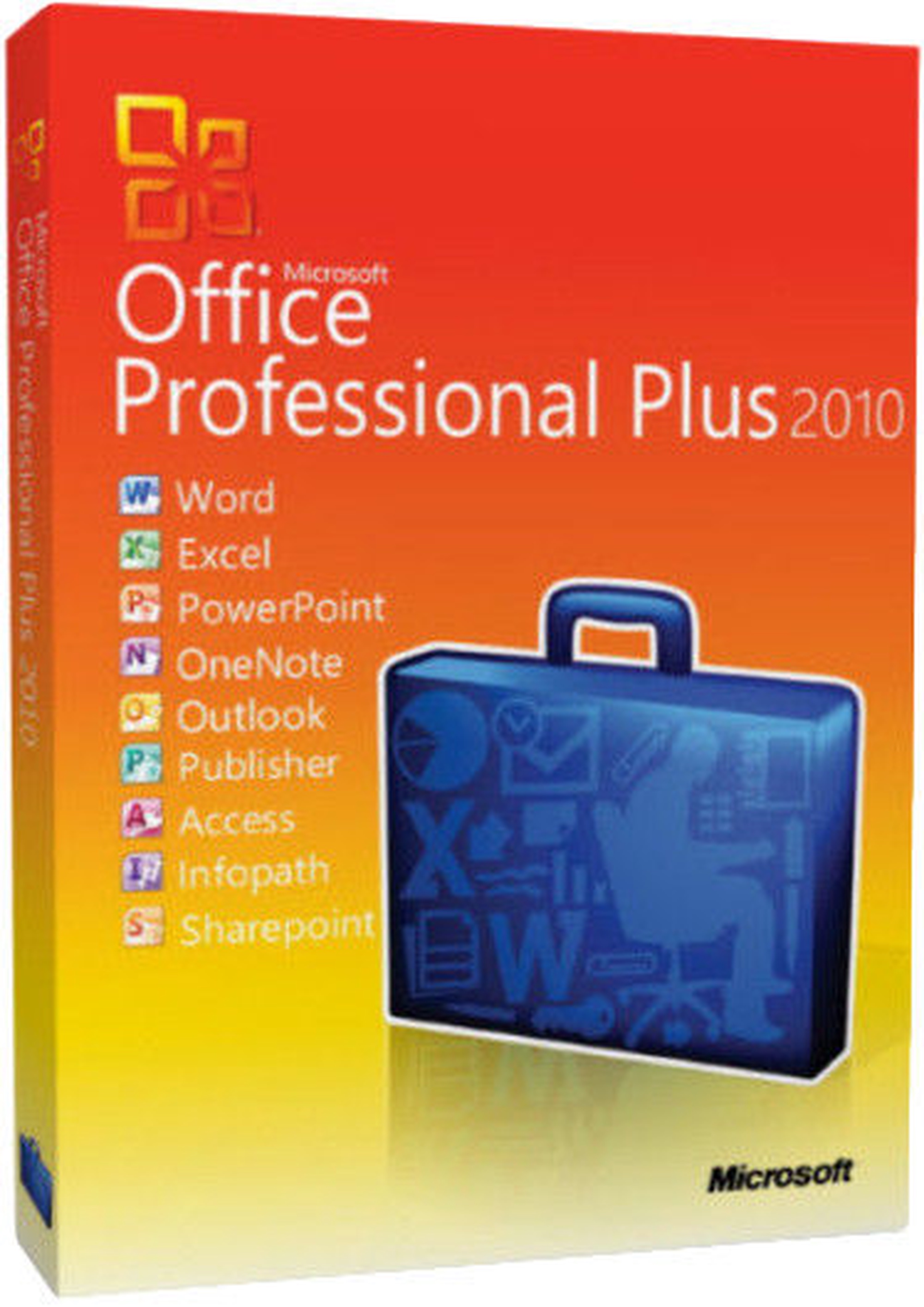
Täiendav info Microsoft Word. Microsoft Excel. Microsoft PowerPoint. Microsoft OneNote. Microsoft Outlook. Microsoft Publisher. Microsoft Access. Microsoft InfoPath. Microsoft SharePoint
Microsoft Office Professional Plus Academic Edition Education
Toote kirjeldus inglise keeles:


Microsoft Office Professional Edition is the ultimate software package that provides the most important applications for today's businesses. These applications are integrated so that all the toolbars are alike, the command and function keys are identical and you can perform tasks from one program to another. Office Professional integrates with other Microsoft applications on your desktop using the same common functionality. Now it is easier to do your work because once you know one application you know them all.

Software Assurance
Microsoft's Software Assurance gives you automatic access to new technology and provides productivity benefits, support, tools, and training to help deploy and use software efficiently.

With Software Assurance, you receive access to new versions of licensed software released during the term of your agreement to deploy at your own pace. New Version Rights simplifies the procurement process and shortens the business process cycle, allowing you to reduce the costs associated with acquiring new version releases and immediately take advantage of the latest technology.


Edit photos in your documents without leaving Word, Publisher, or PowerPoint
Enhance the visual impact of your Word and Publisher documents or PowerPoint presentations with easy-to-use picture editing tools that let you crop, control brightness and contrast, sharpen or soften and add artistic visual effects.

Analyze finances at home and work with Excel
Use Sparklines in Excel to create mini-charts that make it easy to highlight trends in expenses at a glance. Use Slicers to dynamically segment and filter PivotTable data to display precisely what you need, and let the improved Conditional Formatting highlight specific items in your data set with just a few clicks.

Access, edit, and share from virtually anywhere with Office Web Apps
Get things done when you're away from the office, home, or school. Create documents in Office desktop applications, then post them online to access, view, and edit with Office Web Apps from virtually anywhere you have Internet access.

Create dynamic marketing materials with improved photo tools in Publisher
Get professional results in Publisher with photo tools that let you insert or replace photos easily while preserving your look and layout. You can also preview formatting changes before applying them, add photo captions from a library of layouts, and choose from editing options such as changing the shape of photos, pan, zoom, crop, color, and brightness.

Build a top-notch database quickly with Access
Start with prebuilt Access templates or select from community-submitted templates and customize them according to the needs of your project to make collecting information and creating reports easier than ever. Use professional-looking data bar charts created with Conditional Formatting to communicate your analysis clearly and easily.

Organize customer information efficiently in OneNote
Create a digital notebook in OneNote to capture and organize all your important customer information - text, images, video, and audio from documents, Web pages and e-mail messages - in a single, easy-to-access location.

Track and manage e-mail conversations easily in Outlook
Save time and take control of your e-mail with Conversation View in Outlook. This feature lets you condense, categorize, and even ignore lengthy e-mail exchanges with a single click, so you can manage large amounts of e-mail with ease.

Present from virtually anywhere with PowerPoint
Broadcast your PowerPoint presentation instantly through a Web browser to a remote audience, even if audience members don't have PowerPoint - with Broadcast Slide Show.
Toote tegelik värvus võib erineda piltidel kujutatavast ning pilt on illustratiivne. Toote kirjeldus on üldise iseloomuga ning seal ei pruugi olla välja toodud kõik omadused. E-poe hinnad võivad erineda kauplustes ja teeninduspunktides kehtivatest hindadest. Kampaaniad e-poes võivad erineda jaekaubanduse kampaaniatest. Kampaaniatoodete kogused on piiratud ning jaekaubanduse laojäägid ja e-poe olevad kaubad ei pruugi kokku langeda, seetõttu võib eeldatav tarneaeg tellimuse vormistamisel näidatust erineda. Kui mõnda toodet tellimuse täitmise hetkel laos ei ole, teavitatakse Ostjat sellest eraldi esimesel võimalusel. AI modified - Tehisintellekti abil muudetud

Kas nägid vigu tootekirjelduses või piltide galeriis? Teavita meid